🤖
My AI Coding Workflow (March 2026 Update) A few months ago, I wrote a post about orchestrating Gemini 3 and Claude Opus across Google Antigravity. It was a whole pipeline. Claude for architecture, Gemini for execution, Claude again for review, Gemini Flash for commits. Felt clever at the time.
That workflow is dead now. Let me show you what replaced it.
One tool
I was using Antigravity because I didn’t have the Claude Code subscription back then. The multi-model setup worked, but I was spending more time managing the pipeline than actually building things. Every switch between Gemini and Claude was a context switch for me too.
Then I got the $100/month Claude Code Max plan and the choice became obvious. I never run out of tokens. Sessions don’t just die on me mid-task. I can run Claude in a loop overnight and it keeps going. One tool, one subscription, and all that orchestration overhead just disappeared.
I’ve learned this the hard way: sticking to one workflow makes you more productive than having the “best” workflow.
Plan mode, always
You know that feeling when you jump straight into writing code and then spend twice as long debugging it? I’ve taught myself (and Claude) to avoid that.
Every feature, every milestone goes through plan mode first. Non-negotiable, even when Claude has full permission to write code. When Claude is in plan mode it actually brainstorms. It considers edge cases you wouldn’t think of and brings up architectural concerns before you’ve written a single line.
I don’t just sit back during planning either. I challenge it. “What about this edge case?” “Have you considered how this interacts with X?” By the time we move to code, we’ve already caught the bugs that would have cost us hours later.
The model sandwich
Not every task needs the most powerful model. Claude Code has this opusplan setting that automatically uses Opus for planning and Sonnet for code execution. But I’m an Opus heavy user. About 80% of the time I use Opus for everything, including writing code. The quality difference is noticeable.
The sandwich pattern (Opus thinks, Sonnet writes, Opus reviews) is more of a guideline than a strict rule for me. I reach for Sonnet and Haiku when I want to save tokens and avoid hitting session limits too quickly. Things that don’t need heavy reasoning like git commits or running shell scripts go to the smaller faster models.
For anything that matters though? Opus. I always want the strongest model on the work I care about.
TDD
I follow TDD a lot. It’s how I manage AI-generated code at this point.
When I’m looking at code Claude wrote, I usually skip straight to the test cases. Good tests tell me what the code does. If I read testExpiredTokenReturns401() and testRefreshTokenGrantsNewAccess(), I already know what the auth module does without tracing through a single line of production code.
For the user-facing stuff I still review the implementation. But for my personal tools and side projects? If the test suite is green, I trust it. The tests are doing the reviewing for me.
So I ask Claude to write a lot of tests. Unit tests, UI tests, edge cases. The more tests it writes, the more confident I am about code I haven’t personally read.
One thing to watch out for though. These models love writing tests. They’ll keep adding them if you let them. Audit your test suite from time to time because tests have a real cost. They run on CI and that costs money. If you’re building mobile apps, UI tests are especially expensive. A single UI test can take 20-25 seconds, and if you’re testing deeper flows, over a minute. Multiply that by hundreds of tests and your CI bill will notice.
LLMs will write many unnecessary tests if you let them. Tests also have a cost, a single UITests takes at least 15-20 seconds. Make sure to cleanup pic.twitter.com/kgQzldk6FH
— Vinay (@vinayjn7) March 6, 2026
Going parallel
I run multiple Claude Code sessions at the same time. For features, I keep it to 1-2 parallel sessions, each in its own terminal tab with its own git checkout. They work on independent features and when they’re done, I create pull requests and merge manually.
Tests are where I go wild. Tests are naturally independent. testLogin() doesn’t care about testPayment(). So I ask Claude to spin up 3-4 background agents in a single session, each writing tests for different parts of the codebase. Claude orchestrates them and I just wait.
I do the same thing for reviews. I have specialized agents installed. A code reviewer, a security auditor, a performance engineer, an architect reviewer. One prompt and Claude fans out the work:
graph LR
    A[Claude Code] --> B["Code Review"]
    A --> C["Security Audit"]
    A --> D["Performance Review"]
    A --> E["Test Writing"]
    B --> F[Merge & Ship]
    C --> F
    D --> F
    E --> F
Once you start running reviews and tests concurrently, going back to doing it one by one feels painful.
CLAUDE.md and rules
AI-generated code without rules becomes a mess. I learned this the hard way.
I use CLAUDE.md files to set boundaries. There’s a global one with rules that apply to every project and local ones for project-specific stuff. Claude reads these automatically at the start of every session, like a briefing.
The trick is keeping them small. A massive CLAUDE.md pollutes the context window and wastes tokens. If I catch myself repeating the same instruction across sessions, it goes into the file. That’s it. No more saying the same thing twice.
Some examples:
Global: commit code in small buildable chunks. Not one giant commit that’s impossible to review. Each commit should ideally be something I can check out and test independently.
iOS projects: don’t start random simulators (Claude loves doing this). Don’t touch .xcodeproj files. Claude will mess them up, I guarantee it. Follow my Swift coding style.
Custom skills
I’ve also built custom skills for how I like to structure certain projects. My Flask skill for instance enforces the way I actually learned Flask, not whatever Claude decides to do on its own.
This matters because if Claude freestyles your codebase long enough, you’ll eventually open a file and go “what is this?” You’ve lost track of your own project. Skills keep Claude aligned with how I think about the code so that never happens.
Research
Before I start any new project, I put Claude to work on research. With web browsing agents it can go through a lot of information quickly. What users are asking for, what competitors are doing, what problems actually need solving.
This changed how I start projects. Instead of building an MVP based on my assumptions and iterating, I’m building with actual data from day one. Features that would have been “oh I should add that” in version 3 are there from the start.
Coding from bed
Okay, this is my favourite part.
I have a Raspberry Pi that’s always on. It runs OpenClaw, which I access through Telegram. So when I’m lying in bed and feel like getting some work done, I send a Telegram message to spin up Claude Code in a specific project directory, give it a prompt, and let it go.
It’s not that I’m coding 24/7. It’s just that when I was going to code anyway, I’d rather do it from bed than walk to my desk.
I use this mostly for personal tools that don’t need perfect code. Things like my Pi Manager, a homelab assistant hosted on the Pi that can restart Plex, expose services on the network, monitor storage and temperature. Basically everything I need for managing my home setup. When I want to test changes, I ask Claude to expose them on the local network and check from my phone. All from under the blankets.
The overnight runs
And then there are the nights where I let Claude off the leash entirely.
For projects where I’ve been putting off writing tests (we’ve all been there), I set Claude to run in loop mode with permissions wide open. It goes through the codebase, refactors things, writes tests, commits. All night long.
I’ve woken up to 120-130 commits from a single overnight session. Morning coffee, open the laptop, scroll through the git log. The results are consistently good. I haven’t had a single disaster so far.
So how much am I actually using this thing?
I ran the numbers across all three machines, January to March 2026:
Machine Sessions Messages Tokens MacBook Air M1 238 48,219 ~1.22B Mac Mini 37 24,308 ~914M Raspberry Pi* ~480 - ~500M Total ~750+ ~100K+ ~2.6B+
*Pi has been reformatted multiple times. Real usage is estimated at ~20x what the current stats show.
If you want to check your own numbers, type /stats in any Claude Code session. It’ll show you a summary. But if you want the raw data (every session, every model, every day), look at the cache file directly:
~/.claude/stats-cache.json
This file has everything. Daily activity, token breakdowns by model (input, output, cache reads, cache writes), session counts, your peak hours, your longest session. Keep in mind this file is local to each machine, so if you use Claude Code on multiple computers like I do, you’ll need to check each one separately.
2.6 billion tokens in under three months. On a $100/month plan. If I were paying API rates this would cost tens of thousands of dollars. I think Anthropic might be losing money on me.
Some details from the stats:
- My longest session spanned about 7 days (not continuously, I paused and resumed it multiple times)
- Busiest day: 10,664 messages across 18 sessions
- 80-90% of the code I commit, at work and personal projects, is written by Claude
Debugging is still painful
There’s a big gap in this workflow and it’s debugging.
Right now debugging looks like this. I ask Claude to add a bunch of log statements throughout the code. Then I run the app, go through the flow that’s broken, and paste the entire log output back into the chat. Claude reads through it, figures out what’s happening, and suggests fixes. It works but it’s manual. Add logs, run, copy, paste, analyse, fix, repeat.
What I want is for this to be automatic. Claude hooks into my debug session directly, sets breakpoints, inspects variables, reads the logs in real time, suggests fixes without me copy-pasting things around. Pair debugging instead of pair programming, if you will.
I think the pieces exist to build this. Maybe as an Xcode extension or an MCP server that bridges LLDB to Claude Code. I might build it myself. Start with my own use case, get it working, and if it turns out useful, open source it.
What’s next
A couple of things I’m exploring:
RTK (Rust Token Killer) is a CLI proxy that compresses command outputs before they hit Claude’s context window. Claims 60-90% token savings on things like git operations, test output, and build logs. Given I’m burning through 2.6 billion tokens, even a 30% reduction would be meaningful. I’ll update this post once I’ve tried it.
Voice mode in Claude Code. I tried WhisperFlow before and it wasn’t great, but the native implementation is better. For some tasks it’s nice to just talk instead of type. This post actually started as a voice conversation with Claude.
Will AI replace engineers?
I get asked this a lot. But it’s not just other people asking me. I ask this to myself all the time. What will I be doing one year from now? What kind of work will be left for me? Will there even be a “me” in this process? These questions keep you up at night. They question your own existence as an engineer.
And it’s not just about me. What about engineers who are in their first year of college right now? What should they be studying? What should their teachers be teaching them? What kind of jobs will exist when they graduate? We don’t even know what these models will be capable of in six months, forget four years. What jobs will become redundant? What new ones will appear?
There are no clear answers. What these models have achieved in the last one or two years, the entire software engineering industry hadn’t in the last twenty. It’s moving so fast that even the people building these models don’t know what they’ll be capable of next year.
Dario Amodei, the CEO of Anthropic (the company behind Claude), has said that in six to twelve months AI could replace most software engineers. I’m writing 80-90% of my code with Claude right now. So is he right?
Yes. He’s right about the coding part.
Claude is good at everything I throw at it. Swift, React, Python, OpenSCAD, Arduino. It handles each one better than most engineers I’ve met or worked with. It doesn’t get tired, doesn’t need onboarding, doesn’t forget what you told it last week (well, it has CLAUDE.md for that). If you know how to guide AI you can get it to build anything you can imagine.
Eventually all of us are going to lose the “writing code” part of our jobs to AI. That’s already happening. 80-90% of the code I commit is AI-generated, and this isn’t slop or throwaway prototype code. This is production code, at work too. Code that’s being shipped to users around the world. And the percentage keeps going up.
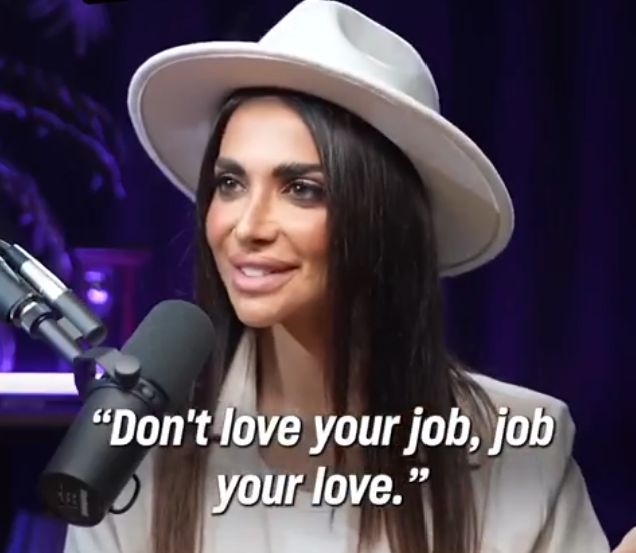
But I’m still the one deciding what to build, how to structure it, which edge cases matter, and when something is good enough to ship. I guide every plan mode session. I set the rules. I built the skills that keep the output aligned with how I think. The code is Claude’s but the product is mine.
Can AI write code? Obviously. Can AI decide what’s worth building and for whom? Not yet.
Could AI become fully autonomous one day? Sure. But think about what that actually means. If AI can independently decide what to build, build it, test it, ship it, and then figure out the next problem to solve, then it’s not just replacing engineers. It’s replacing everyone. Product managers, designers, founders. At that point we’re having a very different conversation and it’s not about job titles anymore.
Until that day, AI has made me a lot more capable. I’m building things I wouldn’t have attempted before. Chrome extensions, React apps, 3D-printable hardware designs. The barrier to entry just dropped.
Skills and tools I use
Some of the skills and subagents I use with Claude Code. If you’re setting up your own workflow, these are worth looking at.
-
Point-Free: The Way - A collection of AI skill documents for Swift development by Brandon Williams and Stephen Celis. Covers composable architecture, dependencies, navigation, testing, and more. These are handwritten and tested against their open source libraries, not AI-generated. Requires a Point-Free subscription.
-
Interface Design - A Claude Code plugin that maintains consistent UI design systems across sessions. It saves your design decisions into a file and loads them automatically so Claude doesn’t forget your design language between sessions.
-
Awesome Claude Code Subagents - A collection of 127+ specialized agents for Claude Code covering development, security, infrastructure, and more. This is where I got my code reviewer, security auditor, and performance engineer agents from.
-
UI UX Pro Max Skill - An AI skill for building professional UI/UX across different platforms and frameworks. Generates design systems and applies design reasoning automatically.
A few months ago, I wrote a post about orchestrating Gemini 3 and Claude Opus across Google Antigravity. It was a whole pipeline. Claude for architecture, Gemini for execution, Claude again for review, Gemini Flash for commits. Felt clever at the time.
That workflow is dead now. Let me show you what replaced it.
One tool
I was using Antigravity because I didn’t have the Claude Code subscription back then. The multi-model setup worked, but I was spending more time managing the pipeline than actually building things. Every switch between Gemini and Claude was a context switch for me too.
Then I got the $100/month Claude Code Max plan and the choice became obvious. I never run out of tokens. Sessions don’t just die on me mid-task. I can run Claude in a loop overnight and it keeps going. One tool, one subscription, and all that orchestration overhead just disappeared.
I’ve learned this the hard way: sticking to one workflow makes you more productive than having the “best” workflow.
Plan mode, always
You know that feeling when you jump straight into writing code and then spend twice as long debugging it? I’ve taught myself (and Claude) to avoid that.
Every feature, every milestone goes through plan mode first. Non-negotiable, even when Claude has full permission to write code. When Claude is in plan mode it actually brainstorms. It considers edge cases you wouldn’t think of and brings up architectural concerns before you’ve written a single line.
I don’t just sit back during planning either. I challenge it. “What about this edge case?” “Have you considered how this interacts with X?” By the time we move to code, we’ve already caught the bugs that would have cost us hours later.
The model sandwich
Not every task needs the most powerful model. Claude Code has this opusplan setting that automatically uses Opus for planning and Sonnet for code execution. But I’m an Opus heavy user. About 80% of the time I use Opus for everything, including writing code. The quality difference is noticeable.
The sandwich pattern (Opus thinks, Sonnet writes, Opus reviews) is more of a guideline than a strict rule for me. I reach for Sonnet and Haiku when I want to save tokens and avoid hitting session limits too quickly. Things that don’t need heavy reasoning like git commits or running shell scripts go to the smaller faster models.
For anything that matters though? Opus. I always want the strongest model on the work I care about.
TDD
I follow TDD a lot. It’s how I manage AI-generated code at this point.
When I’m looking at code Claude wrote, I usually skip straight to the test cases. Good tests tell me what the code does. If I read testExpiredTokenReturns401() and testRefreshTokenGrantsNewAccess(), I already know what the auth module does without tracing through a single line of production code.
For the user-facing stuff I still review the implementation. But for my personal tools and side projects? If the test suite is green, I trust it. The tests are doing the reviewing for me.
So I ask Claude to write a lot of tests. Unit tests, UI tests, edge cases. The more tests it writes, the more confident I am about code I haven’t personally read.
One thing to watch out for though. These models love writing tests. They’ll keep adding them if you let them. Audit your test suite from time to time because tests have a real cost. They run on CI and that costs money. If you’re building mobile apps, UI tests are especially expensive. A single UI test can take 20-25 seconds, and if you’re testing deeper flows, over a minute. Multiply that by hundreds of tests and your CI bill will notice.
LLMs will write many unnecessary tests if you let them. Tests also have a cost, a single UITests takes at least 15-20 seconds. Make sure to cleanup pic.twitter.com/kgQzldk6FH
— Vinay (@vinayjn7) March 6, 2026
Going parallel
I run multiple Claude Code sessions at the same time. For features, I keep it to 1-2 parallel sessions, each in its own terminal tab with its own git checkout. They work on independent features and when they’re done, I create pull requests and merge manually.
Tests are where I go wild. Tests are naturally independent. testLogin() doesn’t care about testPayment(). So I ask Claude to spin up 3-4 background agents in a single session, each writing tests for different parts of the codebase. Claude orchestrates them and I just wait.
I do the same thing for reviews. I have specialized agents installed. A code reviewer, a security auditor, a performance engineer, an architect reviewer. One prompt and Claude fans out the work:
graph LR
A[Claude Code] --> B["Code Review"]
A --> C["Security Audit"]
A --> D["Performance Review"]
A --> E["Test Writing"]
B --> F[Merge & Ship]
C --> F
D --> F
E --> F
Once you start running reviews and tests concurrently, going back to doing it one by one feels painful.
CLAUDE.md and rules
AI-generated code without rules becomes a mess. I learned this the hard way.
I use CLAUDE.md files to set boundaries. There’s a global one with rules that apply to every project and local ones for project-specific stuff. Claude reads these automatically at the start of every session, like a briefing.
The trick is keeping them small. A massive CLAUDE.md pollutes the context window and wastes tokens. If I catch myself repeating the same instruction across sessions, it goes into the file. That’s it. No more saying the same thing twice.
Some examples:
Global: commit code in small buildable chunks. Not one giant commit that’s impossible to review. Each commit should ideally be something I can check out and test independently.
iOS projects: don’t start random simulators (Claude loves doing this). Don’t touch .xcodeproj files. Claude will mess them up, I guarantee it. Follow my Swift coding style.
Custom skills
I’ve also built custom skills for how I like to structure certain projects. My Flask skill for instance enforces the way I actually learned Flask, not whatever Claude decides to do on its own.
This matters because if Claude freestyles your codebase long enough, you’ll eventually open a file and go “what is this?” You’ve lost track of your own project. Skills keep Claude aligned with how I think about the code so that never happens.
Research
Before I start any new project, I put Claude to work on research. With web browsing agents it can go through a lot of information quickly. What users are asking for, what competitors are doing, what problems actually need solving.
This changed how I start projects. Instead of building an MVP based on my assumptions and iterating, I’m building with actual data from day one. Features that would have been “oh I should add that” in version 3 are there from the start.
Coding from bed
Okay, this is my favourite part.
I have a Raspberry Pi that’s always on. It runs OpenClaw, which I access through Telegram. So when I’m lying in bed and feel like getting some work done, I send a Telegram message to spin up Claude Code in a specific project directory, give it a prompt, and let it go.
It’s not that I’m coding 24/7. It’s just that when I was going to code anyway, I’d rather do it from bed than walk to my desk.
I use this mostly for personal tools that don’t need perfect code. Things like my Pi Manager, a homelab assistant hosted on the Pi that can restart Plex, expose services on the network, monitor storage and temperature. Basically everything I need for managing my home setup. When I want to test changes, I ask Claude to expose them on the local network and check from my phone. All from under the blankets.
The overnight runs
And then there are the nights where I let Claude off the leash entirely.
For projects where I’ve been putting off writing tests (we’ve all been there), I set Claude to run in loop mode with permissions wide open. It goes through the codebase, refactors things, writes tests, commits. All night long.
I’ve woken up to 120-130 commits from a single overnight session. Morning coffee, open the laptop, scroll through the git log. The results are consistently good. I haven’t had a single disaster so far.
So how much am I actually using this thing?
I ran the numbers across all three machines, January to March 2026:
| Machine | Sessions | Messages | Tokens |
|---|---|---|---|
| MacBook Air M1 | 238 | 48,219 | ~1.22B |
| Mac Mini | 37 | 24,308 | ~914M |
| Raspberry Pi* | ~480 | - | ~500M |
| Total | ~750+ | ~100K+ | ~2.6B+ |
*Pi has been reformatted multiple times. Real usage is estimated at ~20x what the current stats show.
If you want to check your own numbers, type /stats in any Claude Code session. It’ll show you a summary. But if you want the raw data (every session, every model, every day), look at the cache file directly:
~/.claude/stats-cache.json
This file has everything. Daily activity, token breakdowns by model (input, output, cache reads, cache writes), session counts, your peak hours, your longest session. Keep in mind this file is local to each machine, so if you use Claude Code on multiple computers like I do, you’ll need to check each one separately.
2.6 billion tokens in under three months. On a $100/month plan. If I were paying API rates this would cost tens of thousands of dollars. I think Anthropic might be losing money on me.
Some details from the stats:
- My longest session spanned about 7 days (not continuously, I paused and resumed it multiple times)
- Busiest day: 10,664 messages across 18 sessions
- 80-90% of the code I commit, at work and personal projects, is written by Claude
Debugging is still painful
There’s a big gap in this workflow and it’s debugging.
Right now debugging looks like this. I ask Claude to add a bunch of log statements throughout the code. Then I run the app, go through the flow that’s broken, and paste the entire log output back into the chat. Claude reads through it, figures out what’s happening, and suggests fixes. It works but it’s manual. Add logs, run, copy, paste, analyse, fix, repeat.
What I want is for this to be automatic. Claude hooks into my debug session directly, sets breakpoints, inspects variables, reads the logs in real time, suggests fixes without me copy-pasting things around. Pair debugging instead of pair programming, if you will.
I think the pieces exist to build this. Maybe as an Xcode extension or an MCP server that bridges LLDB to Claude Code. I might build it myself. Start with my own use case, get it working, and if it turns out useful, open source it.
What’s next
A couple of things I’m exploring:
RTK (Rust Token Killer) is a CLI proxy that compresses command outputs before they hit Claude’s context window. Claims 60-90% token savings on things like git operations, test output, and build logs. Given I’m burning through 2.6 billion tokens, even a 30% reduction would be meaningful. I’ll update this post once I’ve tried it.
Voice mode in Claude Code. I tried WhisperFlow before and it wasn’t great, but the native implementation is better. For some tasks it’s nice to just talk instead of type. This post actually started as a voice conversation with Claude.
Will AI replace engineers?
I get asked this a lot. But it’s not just other people asking me. I ask this to myself all the time. What will I be doing one year from now? What kind of work will be left for me? Will there even be a “me” in this process? These questions keep you up at night. They question your own existence as an engineer.
And it’s not just about me. What about engineers who are in their first year of college right now? What should they be studying? What should their teachers be teaching them? What kind of jobs will exist when they graduate? We don’t even know what these models will be capable of in six months, forget four years. What jobs will become redundant? What new ones will appear?
There are no clear answers. What these models have achieved in the last one or two years, the entire software engineering industry hadn’t in the last twenty. It’s moving so fast that even the people building these models don’t know what they’ll be capable of next year.
Dario Amodei, the CEO of Anthropic (the company behind Claude), has said that in six to twelve months AI could replace most software engineers. I’m writing 80-90% of my code with Claude right now. So is he right?
Yes. He’s right about the coding part.
Claude is good at everything I throw at it. Swift, React, Python, OpenSCAD, Arduino. It handles each one better than most engineers I’ve met or worked with. It doesn’t get tired, doesn’t need onboarding, doesn’t forget what you told it last week (well, it has CLAUDE.md for that). If you know how to guide AI you can get it to build anything you can imagine.
Eventually all of us are going to lose the “writing code” part of our jobs to AI. That’s already happening. 80-90% of the code I commit is AI-generated, and this isn’t slop or throwaway prototype code. This is production code, at work too. Code that’s being shipped to users around the world. And the percentage keeps going up.
But I’m still the one deciding what to build, how to structure it, which edge cases matter, and when something is good enough to ship. I guide every plan mode session. I set the rules. I built the skills that keep the output aligned with how I think. The code is Claude’s but the product is mine.
Can AI write code? Obviously. Can AI decide what’s worth building and for whom? Not yet.
Could AI become fully autonomous one day? Sure. But think about what that actually means. If AI can independently decide what to build, build it, test it, ship it, and then figure out the next problem to solve, then it’s not just replacing engineers. It’s replacing everyone. Product managers, designers, founders. At that point we’re having a very different conversation and it’s not about job titles anymore.
Until that day, AI has made me a lot more capable. I’m building things I wouldn’t have attempted before. Chrome extensions, React apps, 3D-printable hardware designs. The barrier to entry just dropped.
Skills and tools I use
Some of the skills and subagents I use with Claude Code. If you’re setting up your own workflow, these are worth looking at.
-
Point-Free: The Way - A collection of AI skill documents for Swift development by Brandon Williams and Stephen Celis. Covers composable architecture, dependencies, navigation, testing, and more. These are handwritten and tested against their open source libraries, not AI-generated. Requires a Point-Free subscription.
-
Interface Design - A Claude Code plugin that maintains consistent UI design systems across sessions. It saves your design decisions into a file and loads them automatically so Claude doesn’t forget your design language between sessions.
-
Awesome Claude Code Subagents - A collection of 127+ specialized agents for Claude Code covering development, security, infrastructure, and more. This is where I got my code reviewer, security auditor, and performance engineer agents from.
-
UI UX Pro Max Skill - An AI skill for building professional UI/UX across different platforms and frameworks. Generates design systems and applies design reasoning automatically.